Model, analyze and optimize trusses.

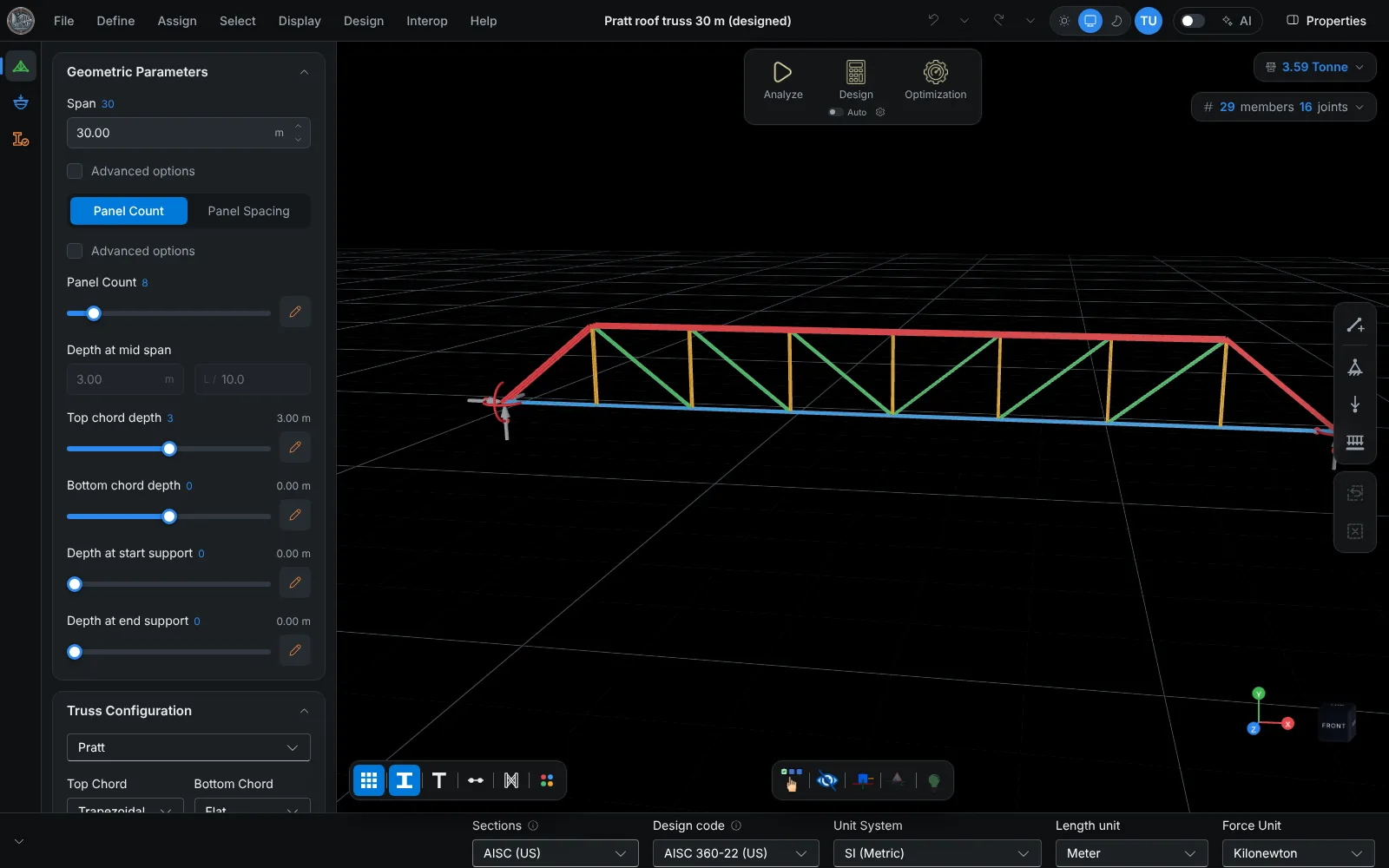
No more drawing trusses member by member in ETABS or using a one-off Grasshopper script. Change the inputs parametrically and TrussLab rebuilds the model straight away. The FEM analysis runs in seconds, and every member is checked and sized to your design code.

Watch demo

7-day free trial · no card needed · runs in the browser · See pricing

  • Checked against hand calculations: see the verification
  • Exports to SAP2000 (.s2k), IDEA StatiCa and DXF
  • Trusses connect to roof surfaces imported from DXF
  • Works on phones and tablets
  • Common truss typesPratt, Howe and Warren patterns, bowstring, scissor, tapered and more.
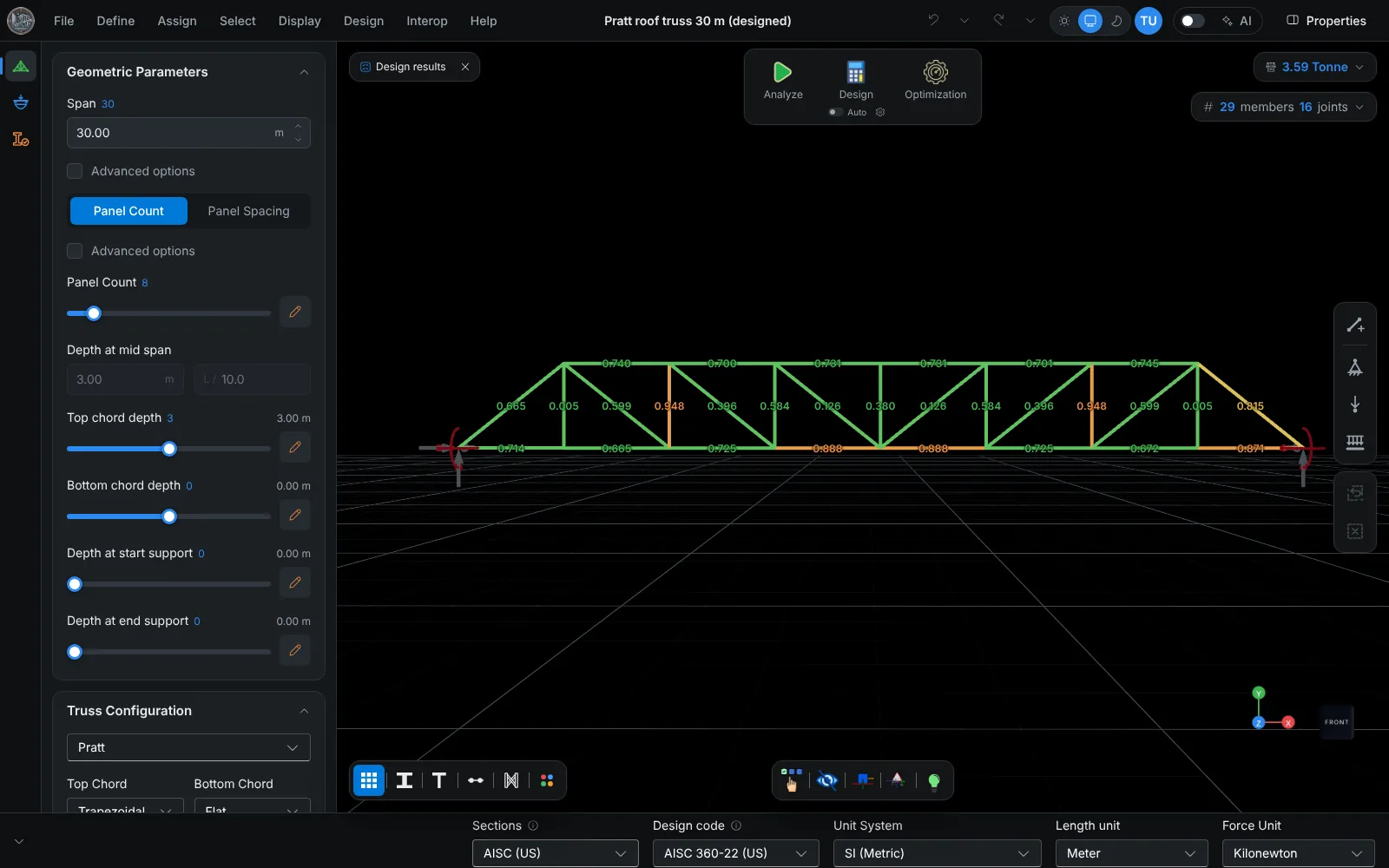
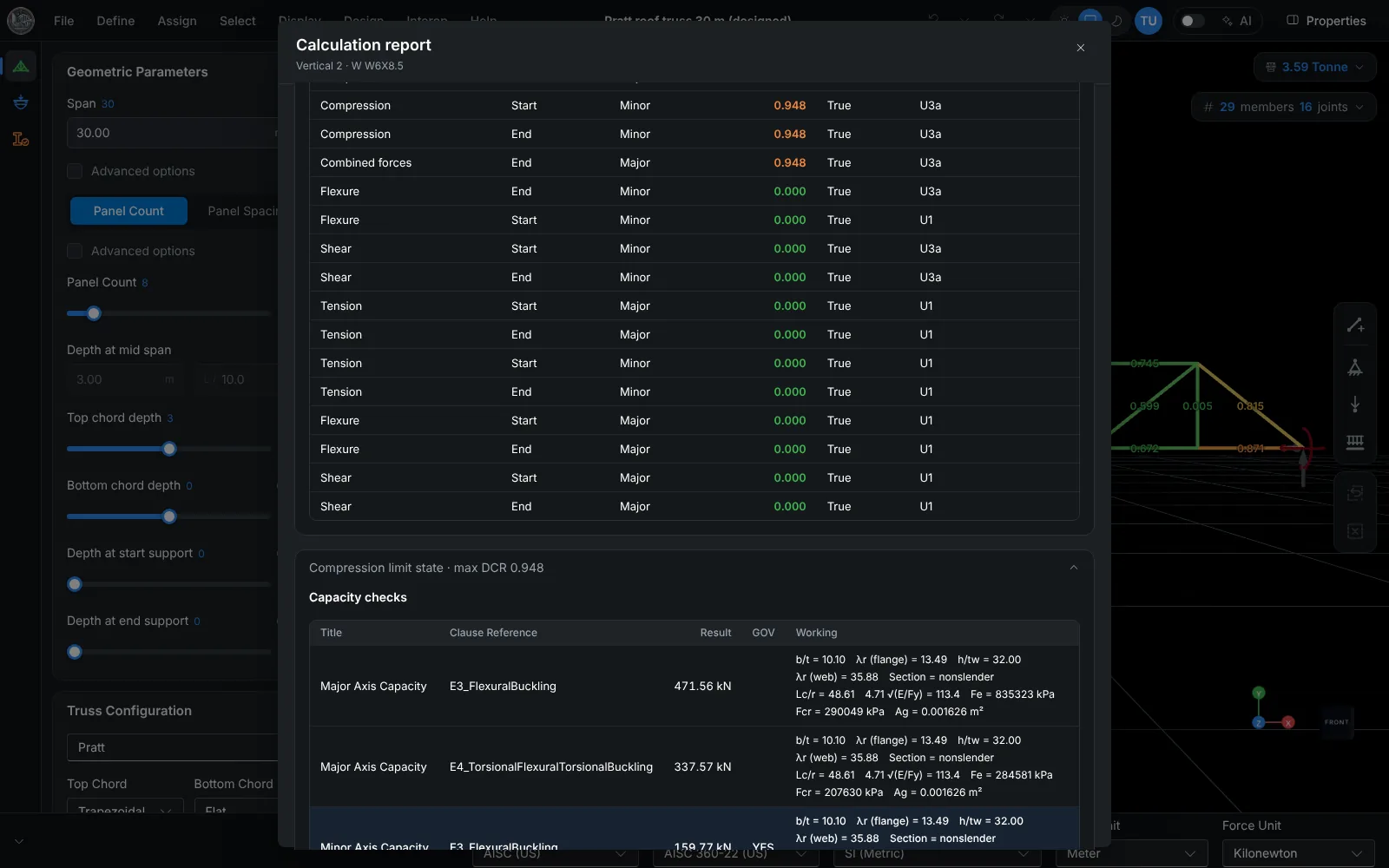
  • FEM + steel design codes3D frame analysis, member checks to AISC 360, EN 1993, AS 4100 or IS 800, and a calculation report for every member.
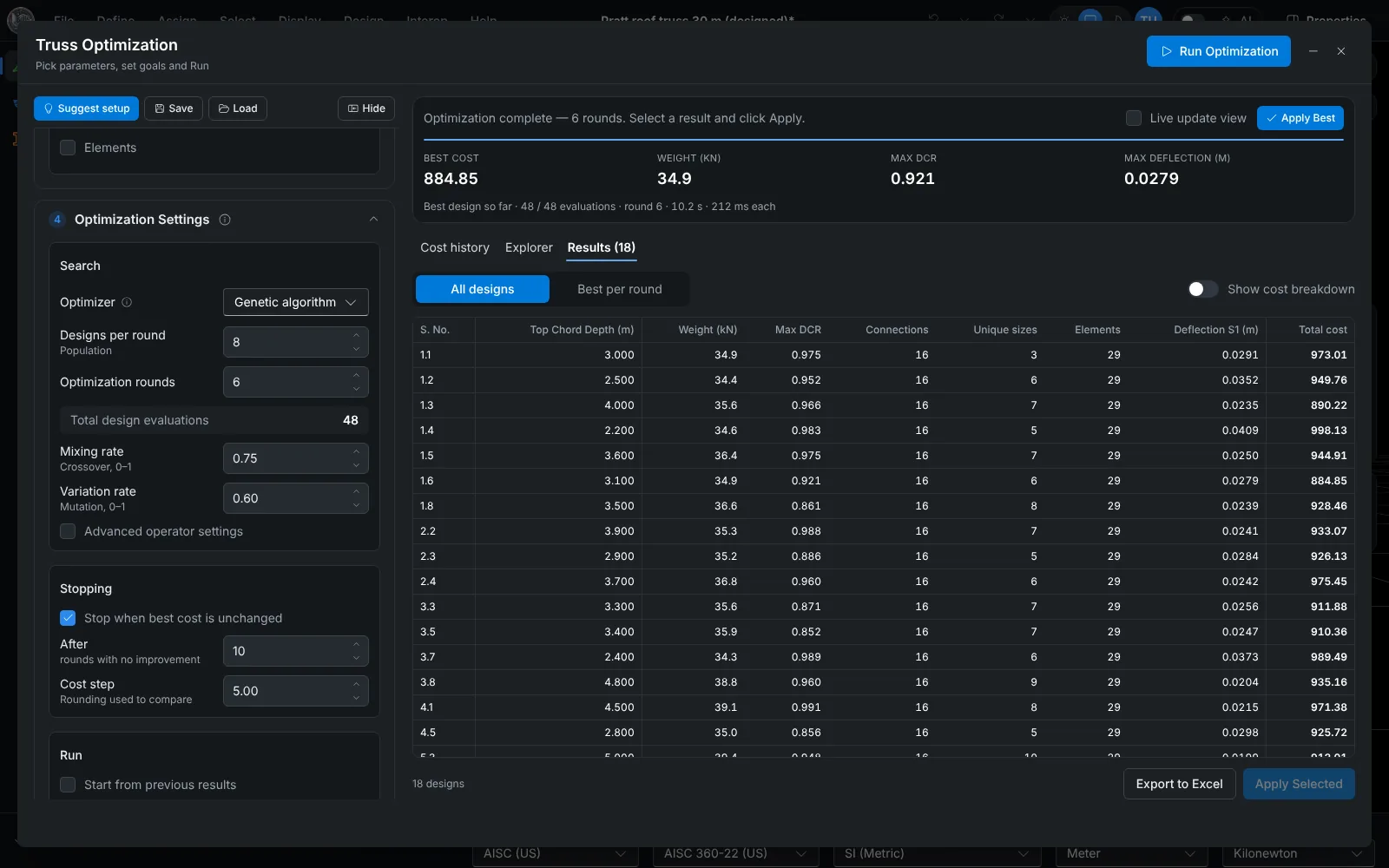
  • Parametric optimizationA genetic algorithm varies panels, depth and sections, and checks every candidate.

From one truss to the whole roof

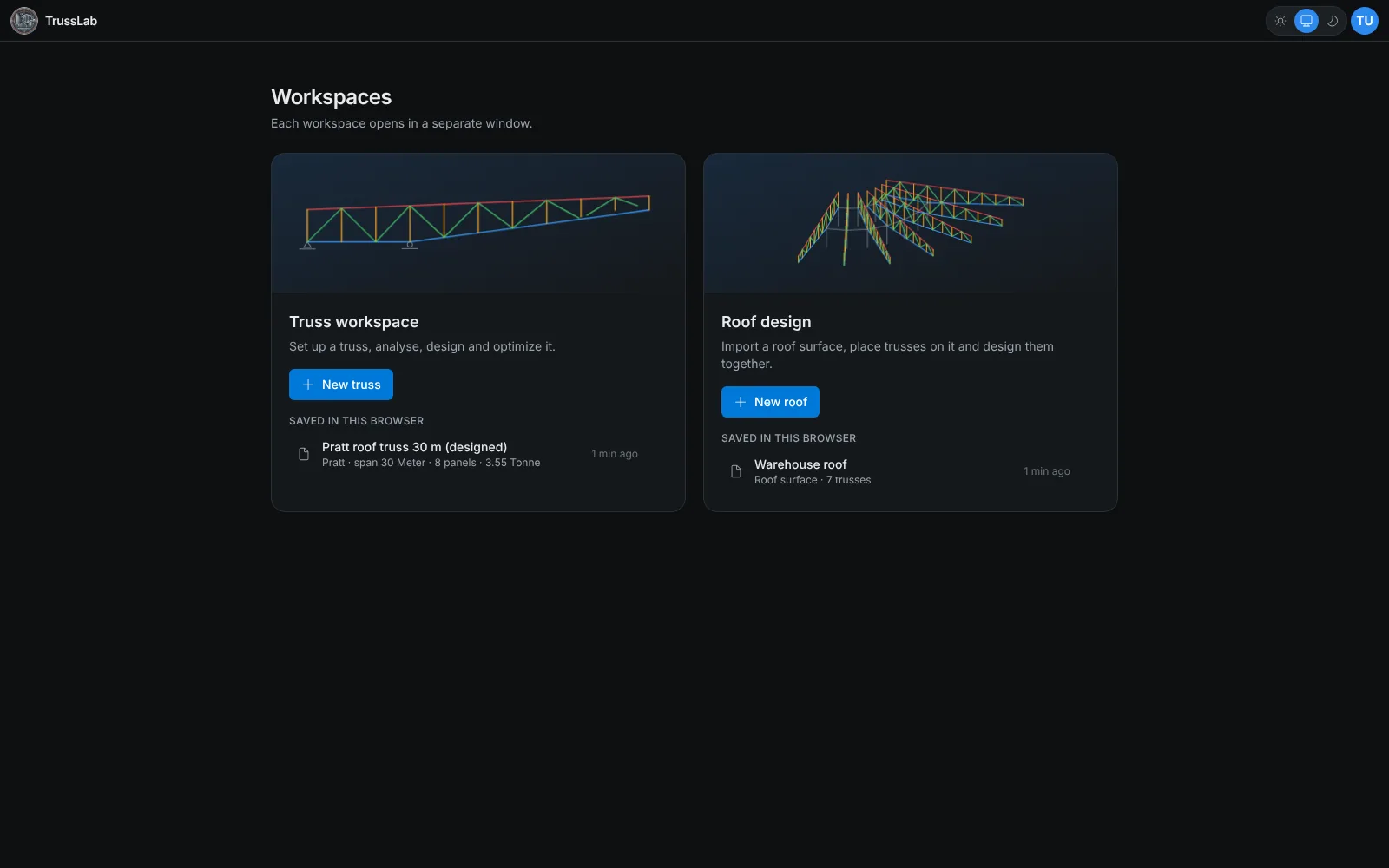
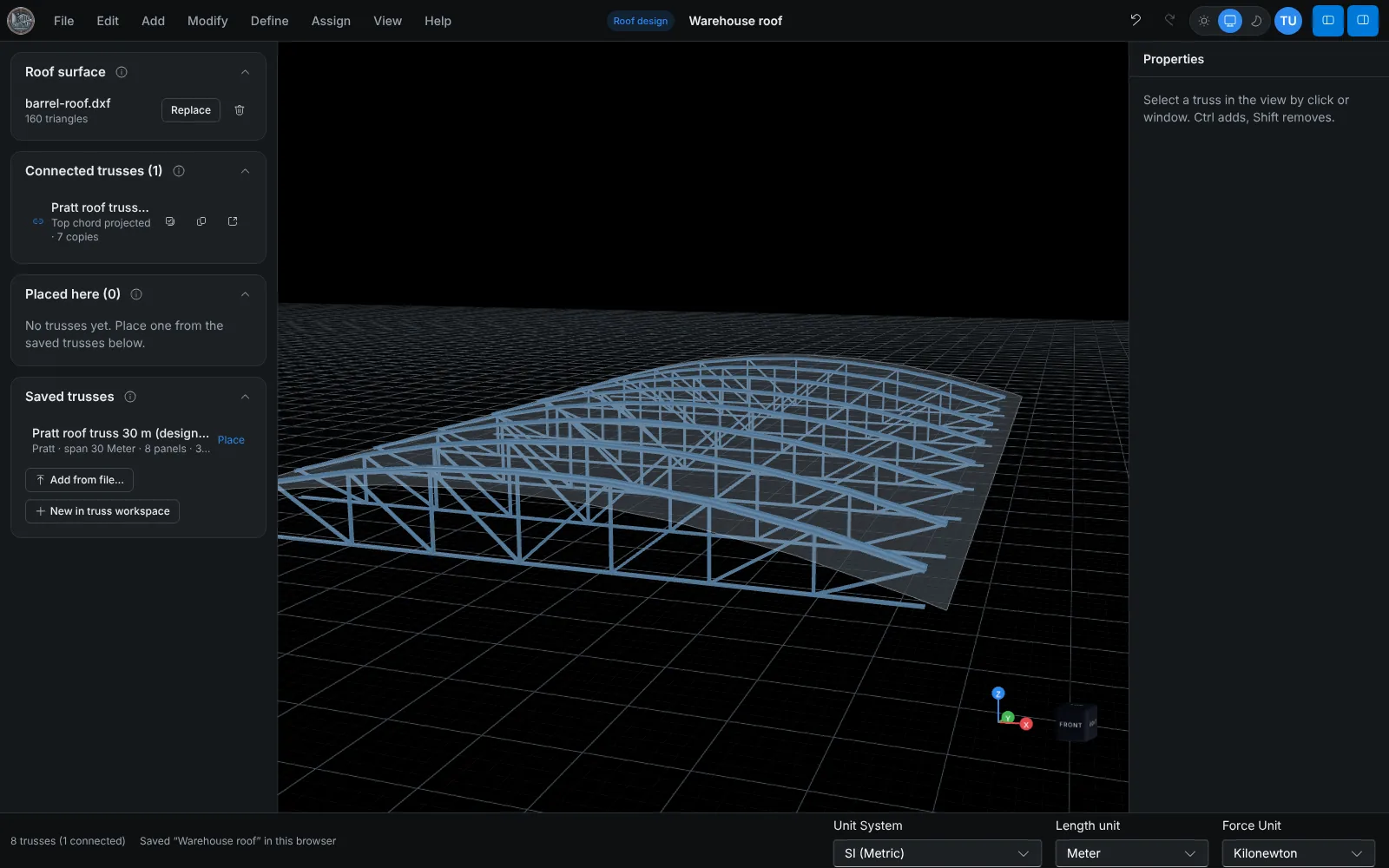
A truss is modeled, analyzed, designed and optimized in the truss workspace, then connected to a roof surface in the roof workspace.

See TrussLab in action

Browse quick walkthroughs covering setup, design, and optimization.

View on YouTube

TrussLab in one minute

1 / 5

Built for practical engineering

Interactive modeling

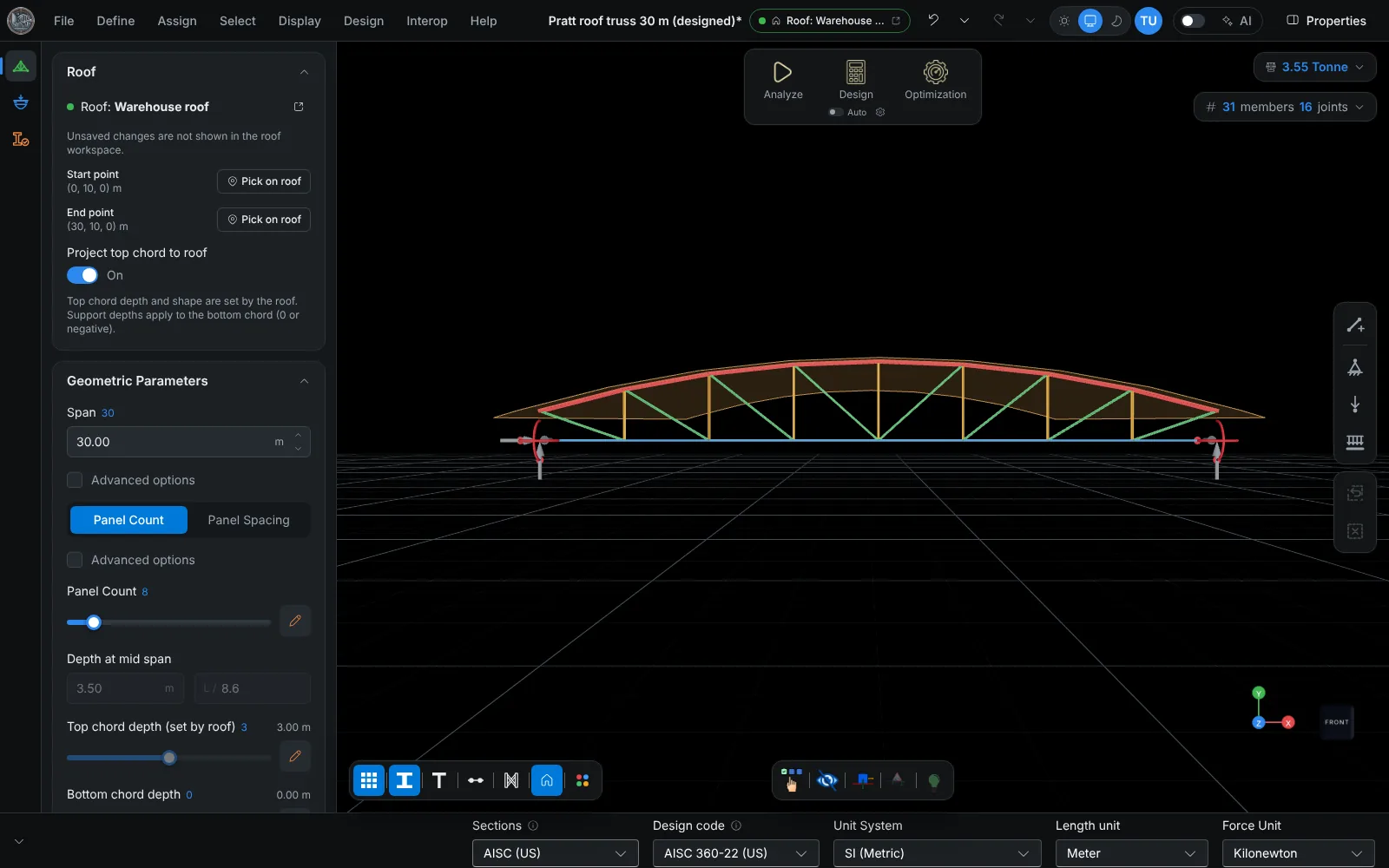
  • Define geometry from span, depth, panel count, supports, and truss-type presets.
  • No manual node-by-node drawing for standard production workflows.
  • Common types include Pratt, Howe, Warren, Bowstring, Barrel, Tapered, Scissor and more.
  • Mix chord shapes, use double top or bottom chords, add cross diagonals, or draw extra members by hand.
  • Different sections and materials for each member group.
  • Assign joint restraints, member releases, member splice locations, bracing preferences and more.

Robust analysis

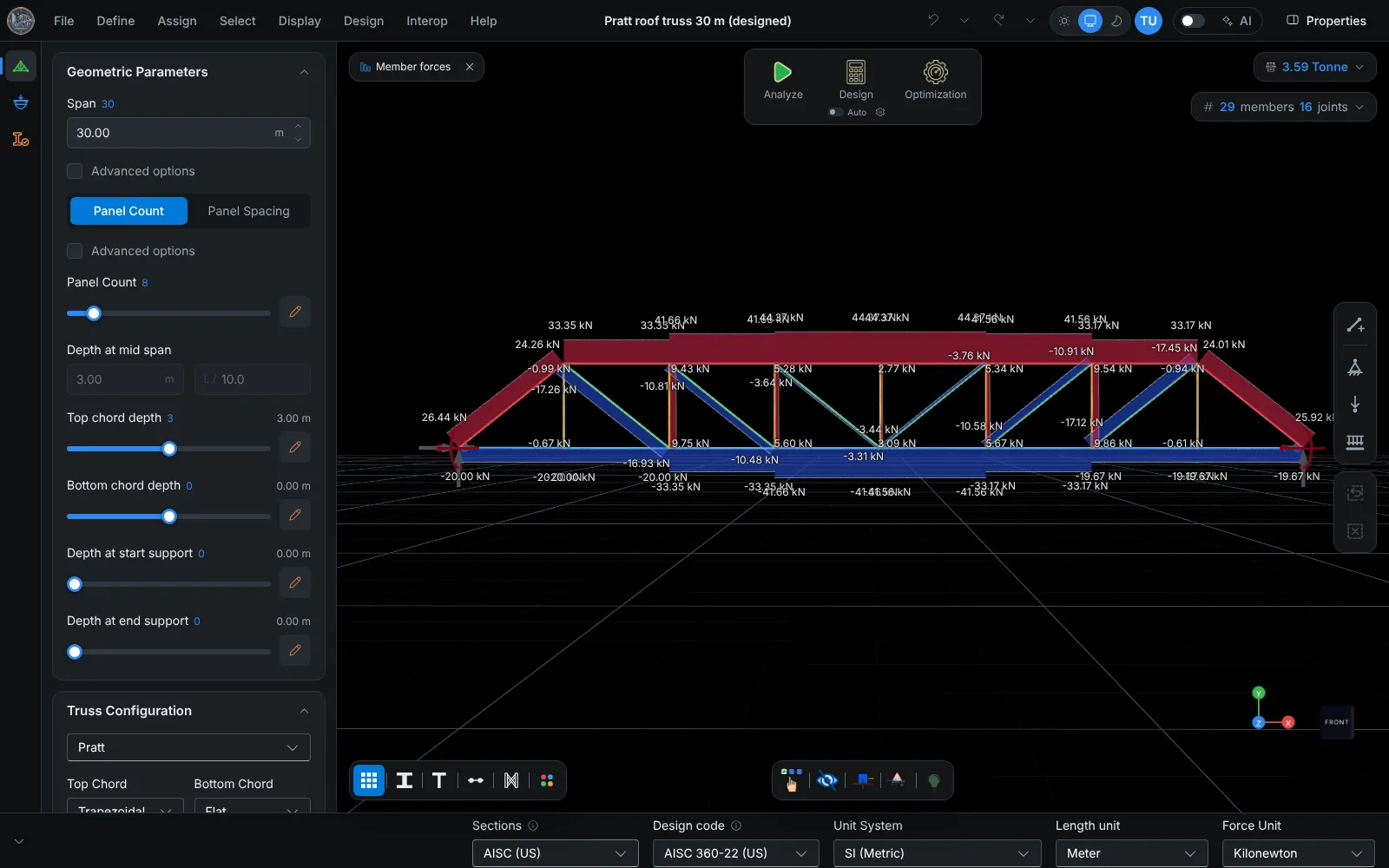
  • Linear elastic 3D frame analysis using the direct stiffness method.
  • Point and line loads; reactions, member forces, and deflections.
  • Force diagrams and deformed shapes for each load case and combination.

Design checks

  • Member checks per AISC 360-22 (LRFD), EN 1993-1-1, AS 4100 or IS 800.
  • AISC, European, Australian and Indian section catalogues, with editable steel properties (Fy, Fu, E, G, density).
  • Members colored by DCR after each design run, with the governing members listed.
  • Step-by-step calculation report for every member.

Parametric optimization

  • An optimization algorithm explores design options automatically.
  • Vary member sizes, geometry parameters, and other design variables.
  • Optimize for tonnage, efficiency, or project-specific constraint targets.
  • Control or minimize output targets using a combined objective cost.

Roof workspace

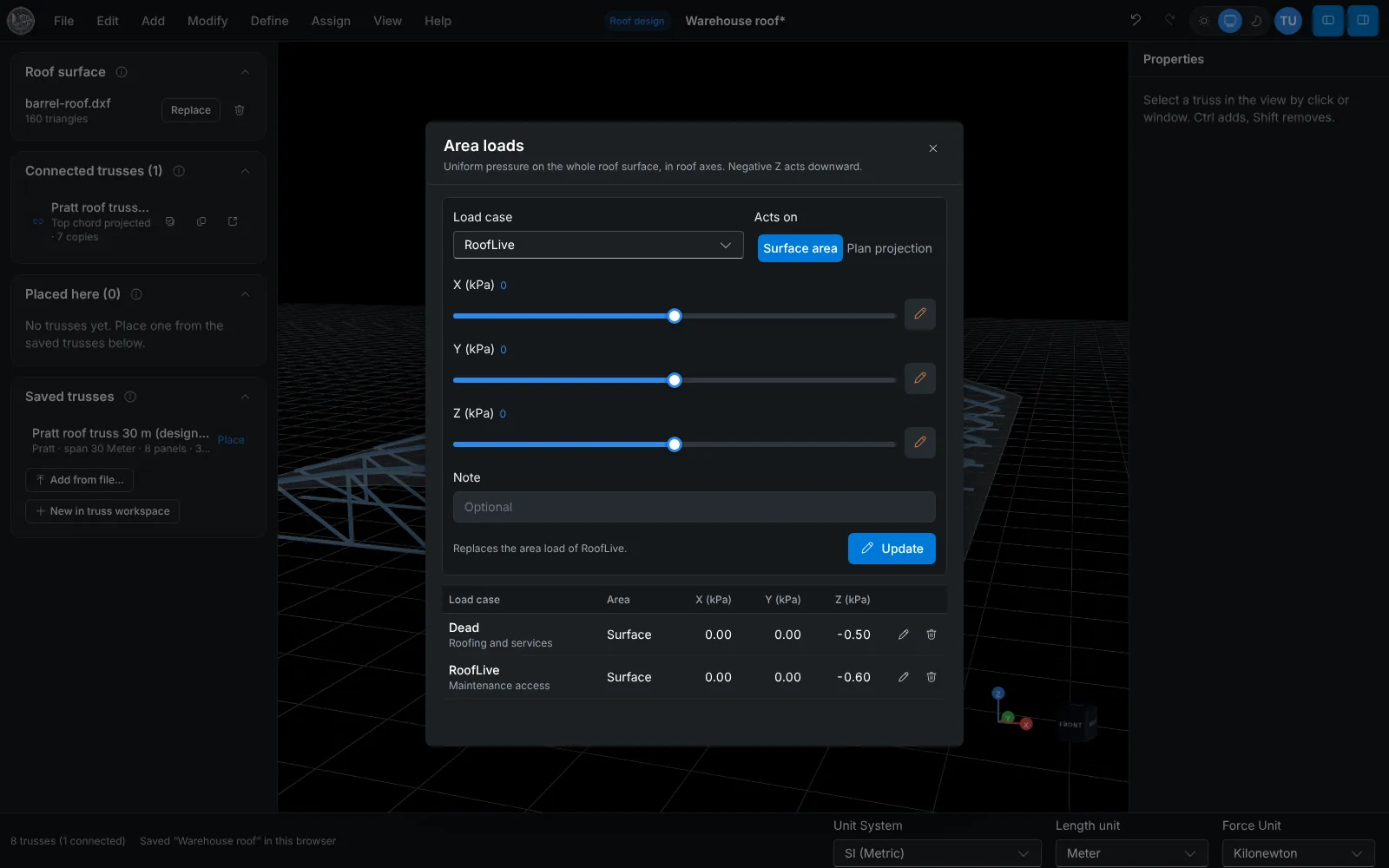
  • Import a roof surface from a DXF file.
  • Place saved trusses on the roof, then move, copy or array them along it.
  • Connect a truss to the roof and its top chord takes the roof shape.
  • Copies update when the truss project is saved.
  • Area loads on the roof for each load case.

Runs in the browser

  • Nothing to download or install. The app opens in a standard web browser.
  • Projects are saved as files and can be reopened at any time.

ETABS, SAP2000 and Revit

  • The truss exports as a SAP2000 text file (.s2k) with materials, sections, releases, loads, combinations and supports.
  • With Trusslab Desktop Connector on a Windows PC, the same model goes directly into ETABS 21+ or SAP2000 24+ while the program is open.
  • Revit 2023 to 2027 receives the truss members as structural framing with analytical members, through the connector and the TrussLab add-in for Revit.
  • The CSI routes suit an independent check of the analysis, and all three programs can carry the truss into a larger building model.

IDEA StatiCa joint export

  • Export a selected joint with its connected members and forces as IDEA OpenModel XML.
  • Design the connection in IDEA StatiCa Connection.

Geometry export

  • Truss geometry exports to DXF for CAD drawings.
  • A Rhino file (.3dm, Rhino 7 or 8) carries each member as a mesh of its real cross-section, plus centerlines, nodes and labels, layered by member type.

Send truss models to ETABS, SAP2000 or Revit model through Trusslab Desktop Connector

Trusslab Desktop Connector is a windows app that helps link the web app to local system so that user can directly send the truss model from the app to ETABS, SAP2000 and Revit

  1. Trusslab Desktop Connector is installed from the Microsoft Store on the Windows PC that runs ETABS, SAP2000 or Revit. Revit also needs the TrussLab add-in for Revit.
  2. In the web app, Interop > Send to ETABS / SAP2000 / Revit creates a one-time connection code, valid for 10 minutes.
  3. The code is pasted into the connector. Each push from the web app then goes into the program open on the PC.
Open the Microsoft Store listing

The app is free and runs on 64-bit Windows 10 or 11;

Who TrussLab is for

Practicing engineers

Concept, option studies and optimization of trusses, with exports to CSI products, IDEA StatiCa and DXF.

Students

Hand solutions checked against a 3D analysis of the same truss, and the member checks written out step by step in the calculation report.

Educators

Published benchmarks with the hand working and downloadable project files that open directly in TrussLab.

Verification benchmarks

Sign in with a TrussLab account to start

Frequently asked questions

Which design codes does TrussLab check?

AISC 360-22 (LRFD), EN 1993-1-1, AS 4100:2020 and IS 800:2007. Members are checked for tension, compression, flexure, shear and combined forces, and every check is written out in the calculation report. Any code can be used with any of the section catalogues.

How are the results verified?

The analysis and the member checks are compared with hand calculations and published AISC examples, including a statically indeterminate truss solved by the force method. The inputs, working and project files are published at trusslab.in/verification.

What can be modeled?

In the truss workspace, one truss per project: Pratt, Howe, Warren, parallel-chord, pitched, bowstring, scissor, barrel and tapered layouts, with double chords, cross diagonals and extra members drawn by hand. Analysis is linear static; connection design and wind, snow or seismic load generation are not included.

How does a truss connect to a roof?

A roof surface is imported from DXF in the roof workspace and saved. In the truss workspace, Interop > Connect to roof workspace links the truss to that roof, and the top chord can be projected to the roof section along the span. The roof workspace shows the connected truss in place, and copies of it can be arrayed along the roof. Copies update each time the truss project is saved.

Which formats can be exported?

SAP2000 (.s2k), DXF, a selected joint to IDEA StatiCa, the full truss report as PDF and optimization results to Excel.

Can a model go straight into ETABS, SAP2000 or Revit?

Yes, through Trusslab Desktop Connector, a free Windows app from the Microsoft Store. A one-time code from the web app pairs it with the browser tab, and the model is then written into ETABS 21+ or SAP2000 24+ open on that PC: as a new model, replacing the open one, or added to it. New and replace are confirmed on the PC first. Revit 2023 to 2027 also needs the TrussLab add-in for Revit and receives only the truss members, placed as structural framing.

Where are projects stored?

On the local device, as project files. Calculations run on the TrussLab engine, which returns the results without saving any data.

Does it work on tablets and phones?

Yes. The full app runs in a current browser on desktop, tablet and phone, with nothing to install. Only the optional Trusslab Desktop Connector, which passes models to ETABS, SAP2000 and Revit, is a Windows app.

How does the free trial work?

The trial lasts 7 days and is activated after signing up at trusslab.in. No card is needed.